Runpod
After setting up a Runpod account and API key and starting Transformer Lab, follow these steps to add it as a compute provider.
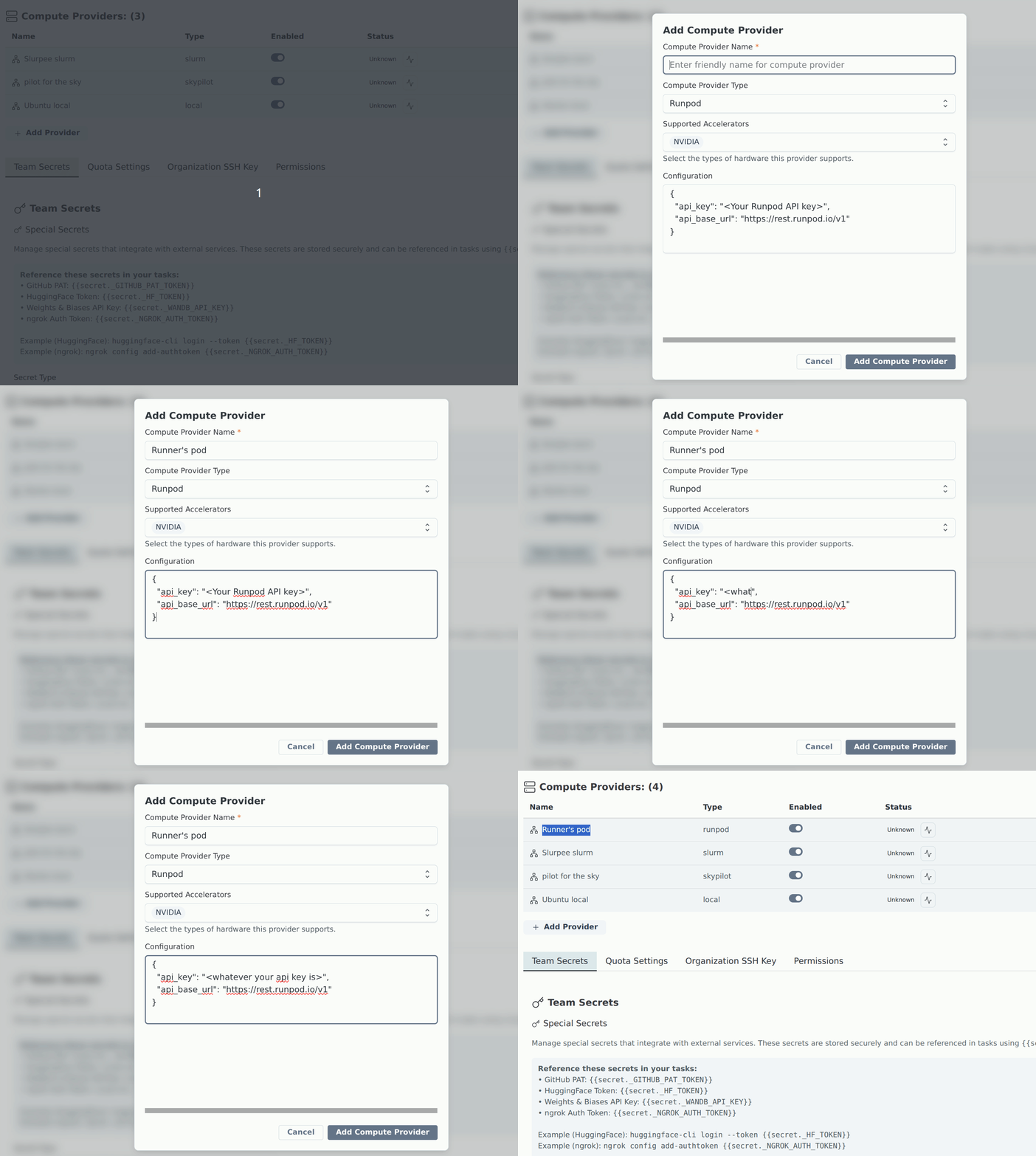
Add Runpod in Team Settings
- Open Team Settings by clicking your username in the sidebar.
- Go to Compute Providers.
- Click Add Compute Provider.
- In the modal:
- Set Type to runpod.
- Give the provider a name (e.g.
runpod-prov). - Fill in the API Key and API Base URL fields.
- Click Add Compute Provider.
You can also add the provider via the CLI with
lab provider add.
Run health check
After the provider is listed in Team Settings:
- Find your Runpod provider in Compute Providers.
- Click the "Check provider status" icon (heartbeat) next to your Runpod provider in the status column.
- Confirm the provider reports healthy/connected.