Sweeps
Once you are comfortable running single tasks, you can take advantage of parameterization and sweeps to explore many configurations automatically.
This guide explains:
- What parameterization is and how it relates to your task definitions.
- What sweeps are and when to use them.
- Three concrete examples:
- Example 1: learning-rate sweep.
- Example 2: model/dataset grid.
- Example 3: multi-parameter sweep.
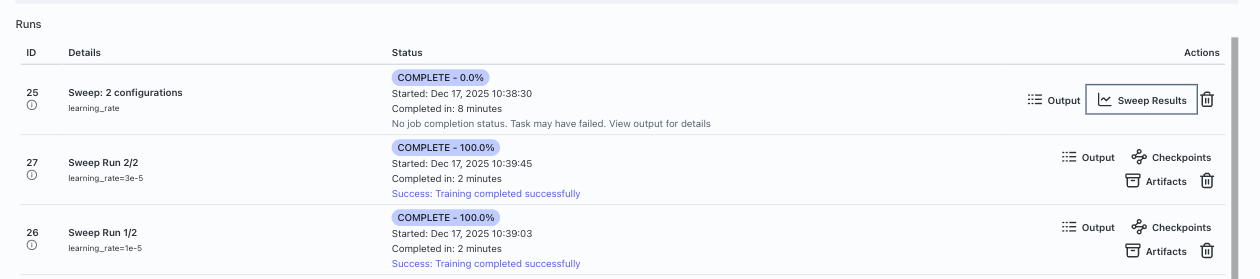
Parameterization: turn constants into knobs
Most tasks contain values that could reasonably change between runs, such as:
- Learning rate.
- Batch size.
- Number of epochs or steps.
- Model name or size.
- Dataset identifier or split.
Parameterization is the process of:
- Identifying these values.
- Declaring them as parameters (with types such as integer, float, boolean, enum/string).
- Allowing the GUI/CLI to set them at launch time or define ranges for sweeps.
In practice, this means:
- Your task configuration (such as
task.yamlor UI schema) exposes fields for those values. - The GUI shows appropriate controls (sliders, switches, selects).
- The CLI allows you to pass them via config files or flags.
- You can access all parameters in your run script using
lab.get_config().
You can read about how to define parameters in this guide. Parameters are the building blocks that make sweeps possible, so it’s worth understanding how to use them effectively before diving into sweeps.
Sweeps: explore many configurations (grid search)
Once parameters are defined, a sweep lets you:
- Specify a list of values for one or more parameters.
- Ask Transformer Lab to launch one job for every combination of those values (a full grid search).
- Use a metric (for example,
eval/lossoreval/accuracy) to compare and identify the best run.
Conceptually:
- Pick the parameters you want to vary (they must already exist under
parameters:in your task). - Define a
sweepsblock intask.yamlwith:sweep_config: a mapping from parameter name to a list of values.sweep_metric: the metric name to optimize.lower_is_better: whether lower metric values are better.
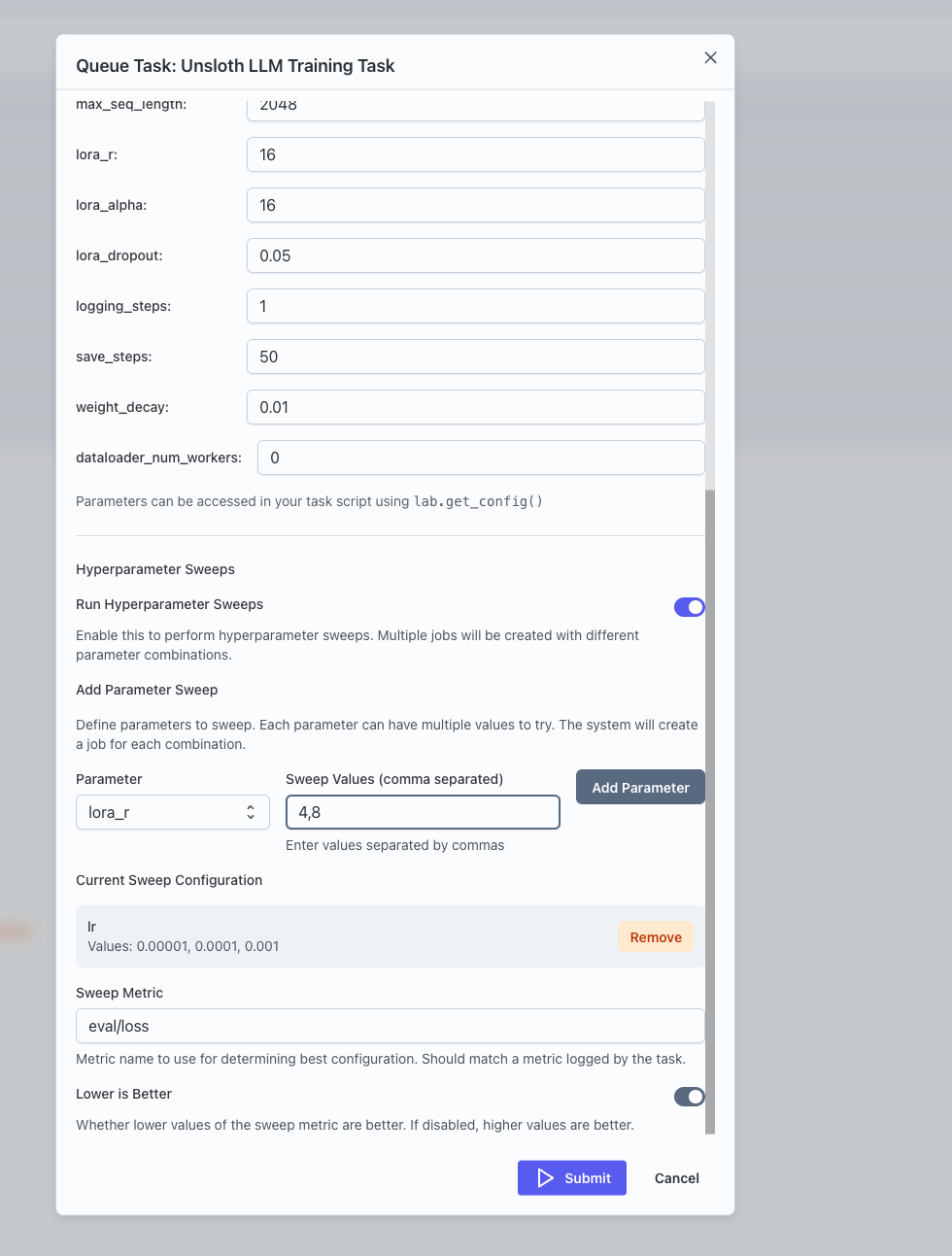
- Launch the task (from GUI or CLI) with sweeps enabled; Transformer Lab expands
sweep_configinto all combinations internally.
Example 1: Learning-rate sweep
Goal: Find a good learning rate for a given model and dataset.
Think of a task that already works with a single learning_rate value defined under parameters:. To turn this into a sweep in task.yaml:
parameters:
  learning_rate:
    type: float
    default: 3e-5
    title: Learning rate

sweeps:
  sweep_config:
    learning_rate: [1e-5, 3e-5]
  sweep_metric: eval/loss
  lower_is_better: true
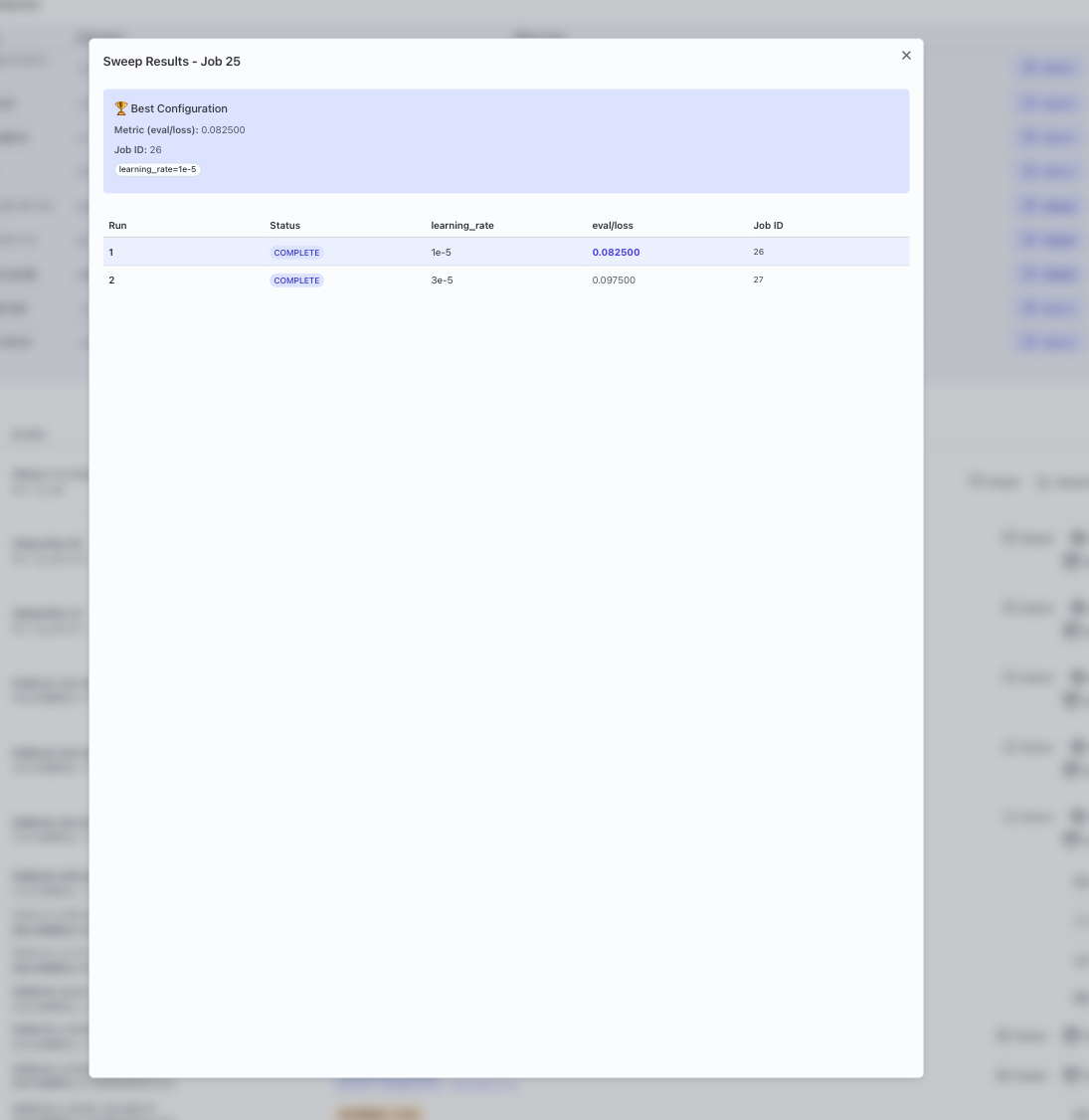
Then launch the task (for example, via the GUI’s Queue Task dialog with sweeps turned on, or via CLI using lab task queue). Transformer Lab:
- Creates one job per
learning_ratevalue. - Tracks
eval/lossfor each job.
- Inspect results:
- Use the UI to compare
eval/lossacross runs. - Choose the configuration with the lowest loss as a starting point for future experiments.
- Use the UI to compare
Example 2: Model/dataset grid
Goal: Compare performance of different model/dataset combinations.
Suppose your task has two parameters defined:
model_namedataset_name
You can define a simple 2×2 grid sweep in task.yaml:
parameters:
  model_name:
    type: string
    default: model-small
  dataset_name:
    type: string
    default: dataset-a

sweeps:
  sweep_config:
    model_name: ['model-small', 'model-medium']
    dataset_name: ['dataset-a', 'dataset-b']
  sweep_metric: eval/accuracy
  lower_is_better: false
This will:
- Launch four jobs (2 models × 2 datasets).
- Let you compare
eval/accuracyacross all combinations.
In the UI you can identify which combination performs best.
Example 3: Multi-parameter sweep
Goal: Explore a richer space of hyperparameters (for example, learning rate, batch size, and dropout).
If your task exposes parameters:
learning_rate(float)batch_size(integer)dropout(float)
You might configure a 2×2×2 sweep in task.yaml:
parameters:
  learning_rate:
    type: float
    default: 0.0003
  batch_size:
    type: int
    default: 16
  dropout:
    type: float
    default: 0.1

sweeps:
  sweep_config:
    learning_rate: [0.0003, 0.001]
    batch_size: [16, 32]
    dropout: [0.1, 0.3]
  sweep_metric: eval/accuracy
  lower_is_better: false
This yields:
- 2 × 2 × 2 = 8 configurations.
- Each job runs with a different combination of these three parameters.
Once the sweep completes, you can:
- Sort runs by
eval/accuracy. - Inspect the top performers to see which combination might be best.
- Use that configuration as the basis for a more focused search if needed.
Tips and next steps
- Avoid sweeping too many parameters at once—start small and expand.
- Use sweeps to validate intuition from single runs rather than guessing from scratch.
- Keep good notes (or use config versioning) so you can reproduce strong configurations.
For background on basic task submission: