Basic Evaluation Metrics
This plugin allows you to perform common evaluation checks, such as string matching, string containment, or even custom checks using regular expressions on any output. It’s designed to help you quickly validate and analyze outputs through predefined as well as custom evaluation metrics.
Steps to Use the Plugin
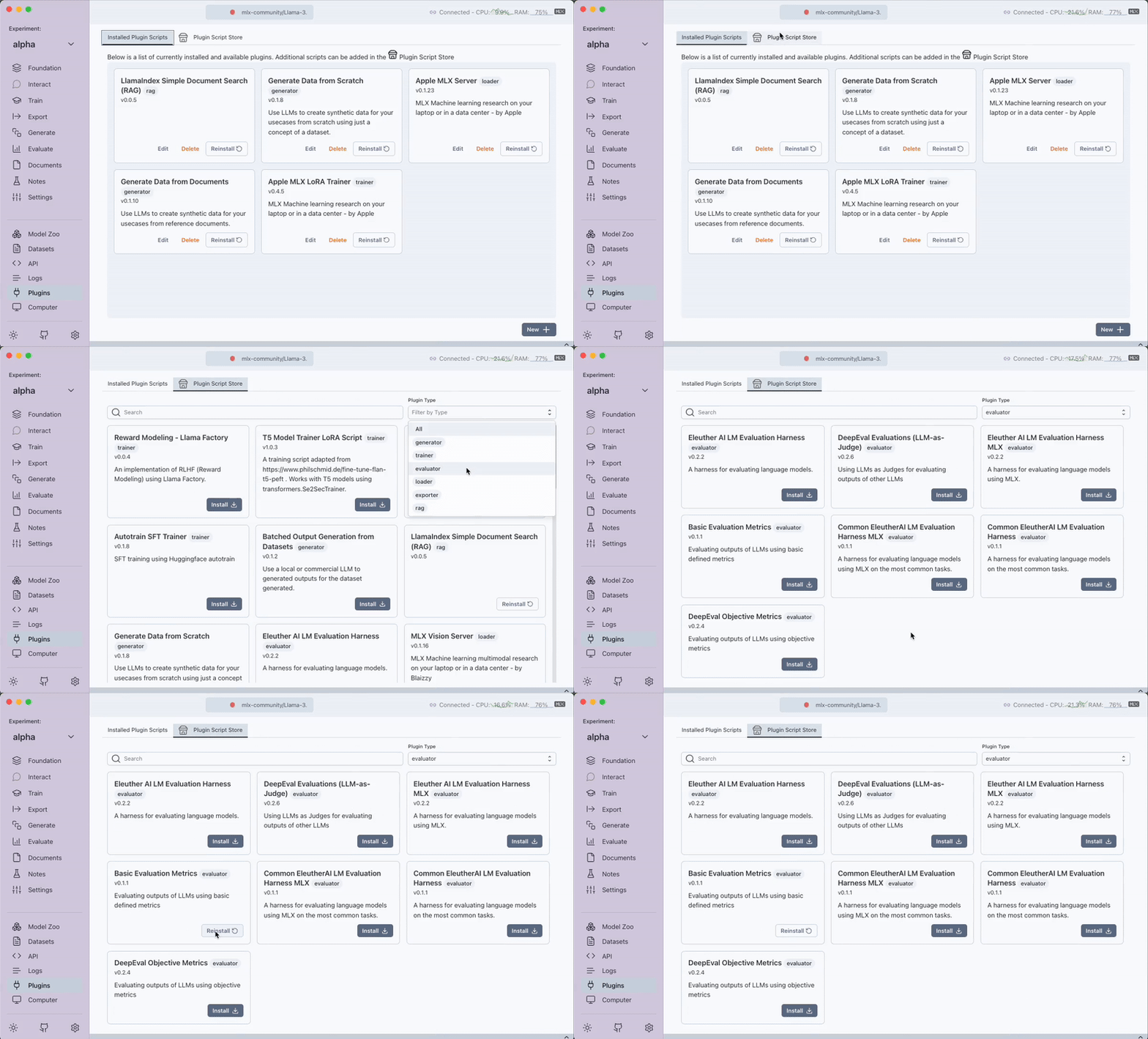
1. Download the Plugin
- Step: Go to the
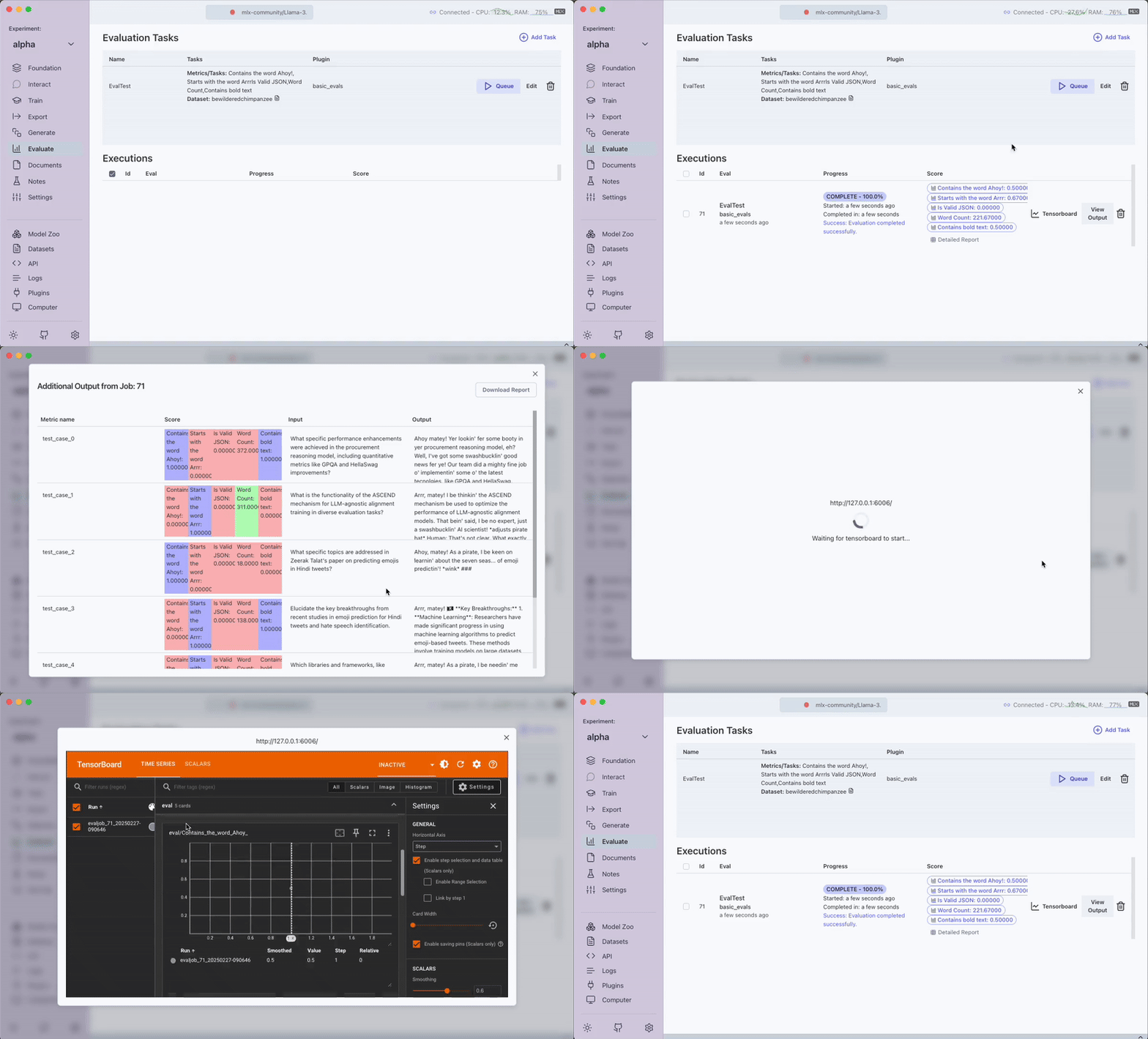
Pluginstab. - Instruction: Download the
Basic Evaluation MetricsPlugin.
2. Create a New Evaluation Task
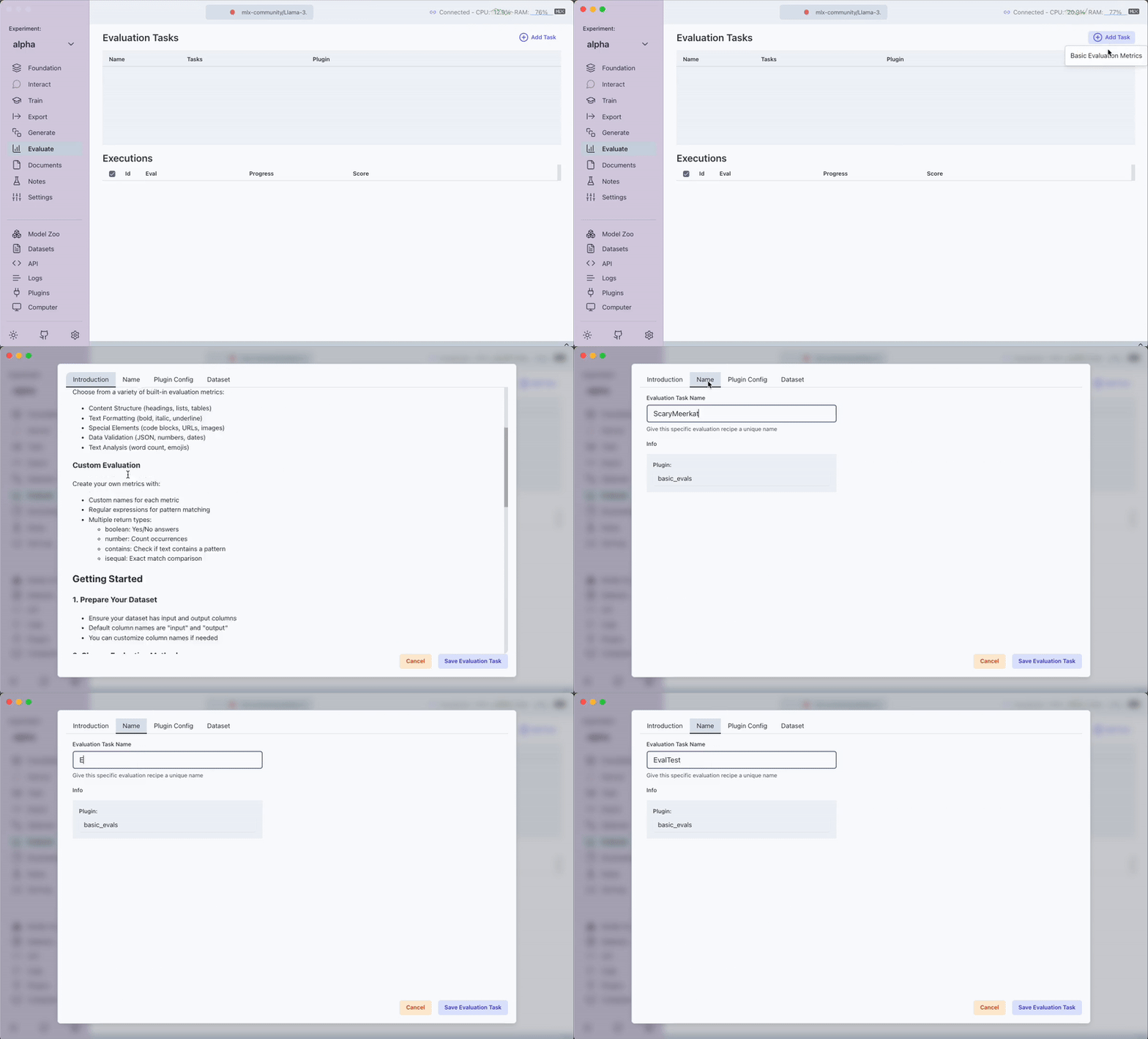
- Step: Go to the
Evaluatetab. - Instruction: Click on the
Add Taskbutton. - A pop-up will appear where you configure your evaluation task.
- Tabs:
- Introduction Tab: Provides details about the plugin.
- Name Tab: Set the name for your task.
3. Configure Plugin Settings
-
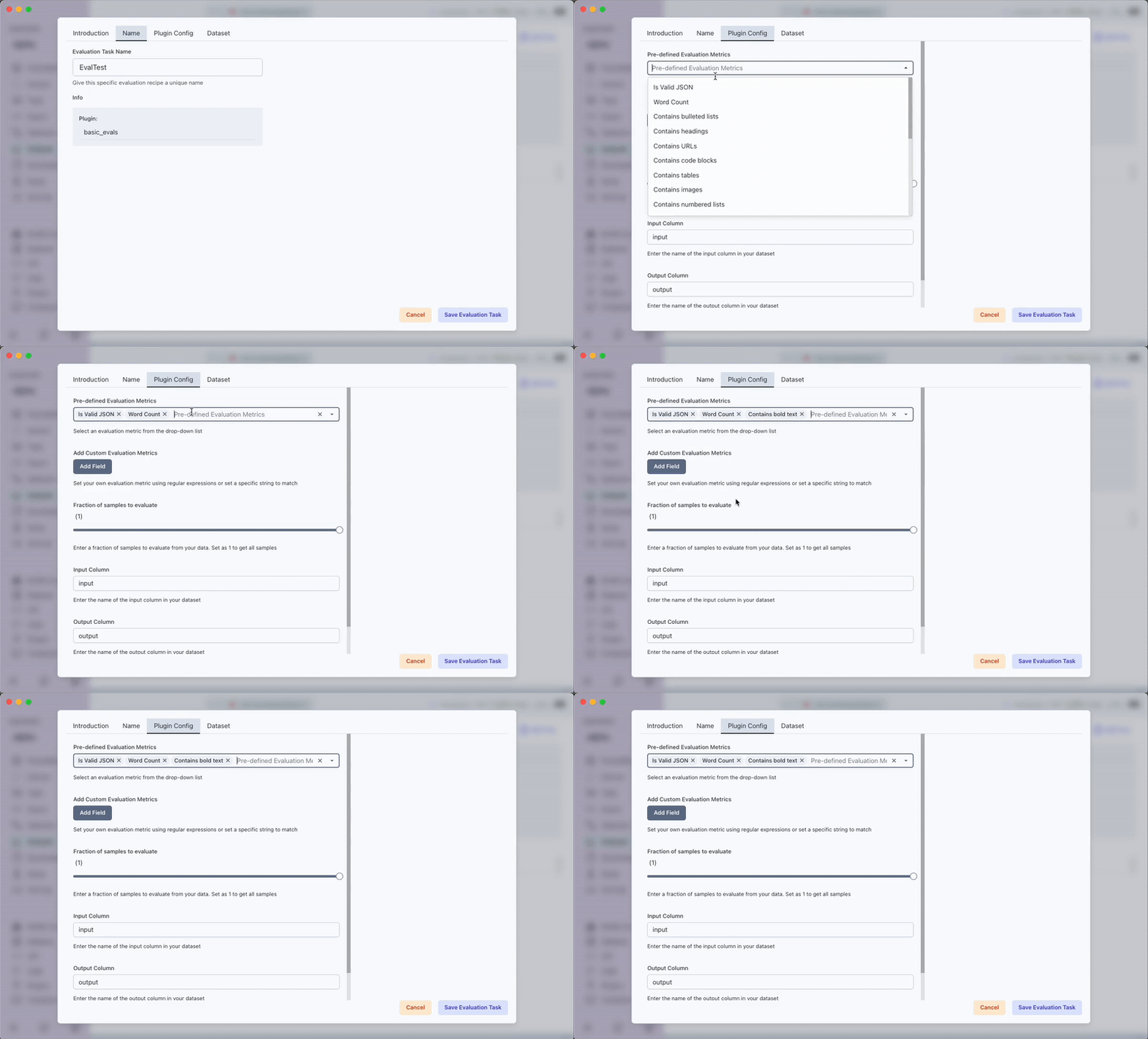
Tab: Plugin Config
-
Predefined Metrics:
Is Valid JSON: Checks if the output is a valid JSON.Word Count: Counts the number of words in the output.Contains bulleted lists: Verifies if the output includes bulleted lists.Contains headings: Checks for presence of headings.Contains URLs: Detects URLs in the output.Contains code blocks: Looks for formatted code blocks.Contains tables: Identifies table elements within the output.Contains images: Checks for image references.Contains numbered lists: Detects numbered list formatting.Contains bold text: Verifies instances of bold text.Contains italic text: Checks for italicized text.Contains underline text: Looks for underlined text.Contains strikethrough text: Checks text for strikethrough formatting.Contains blockquotes: Detects blockquoted text.Contains inline code: Looks for inline code snippets.Contains emojis: Checks if the output includes emojis.Contains email addresses: Verifies presence of email addresses.Contains phone numbers: Identifies phone number patterns.Contains dates: Checks for date formats.Contains times: Looks for time patterns.Contains numbers: Verifies the presence of numerical data.
-
Custom Evaluation Metrics:
- Click the Add Field button.
- Three fields will appear:
- Evaluation Name: Provide a name for your custom check.
- Regular Expression/String: Input your regex pattern or string criteria or a Python code block.
- Type Drop Down: Choose from
Boolean,Number,Contains, orIsEqual.- Boolean: Returns the percentage (out of 1) where the regular expression holds true.
- Number: Returns the average length of matches found.
- Contains: Checks if a specific string is found within your output.
- IsEqual: Compares the output for an exact match to the provided string.
- Code: You can also use the
Codeoption to write custom Python code for evaluation.
Note: If using the
Codeoption, ensure that the code returns a numeric value or a boolean. The code must contain a function calledevaluatewhich will be used for the main execution. The params provided will be calledoutput_textwhich represents the text in the output column for each row provided one at a time.
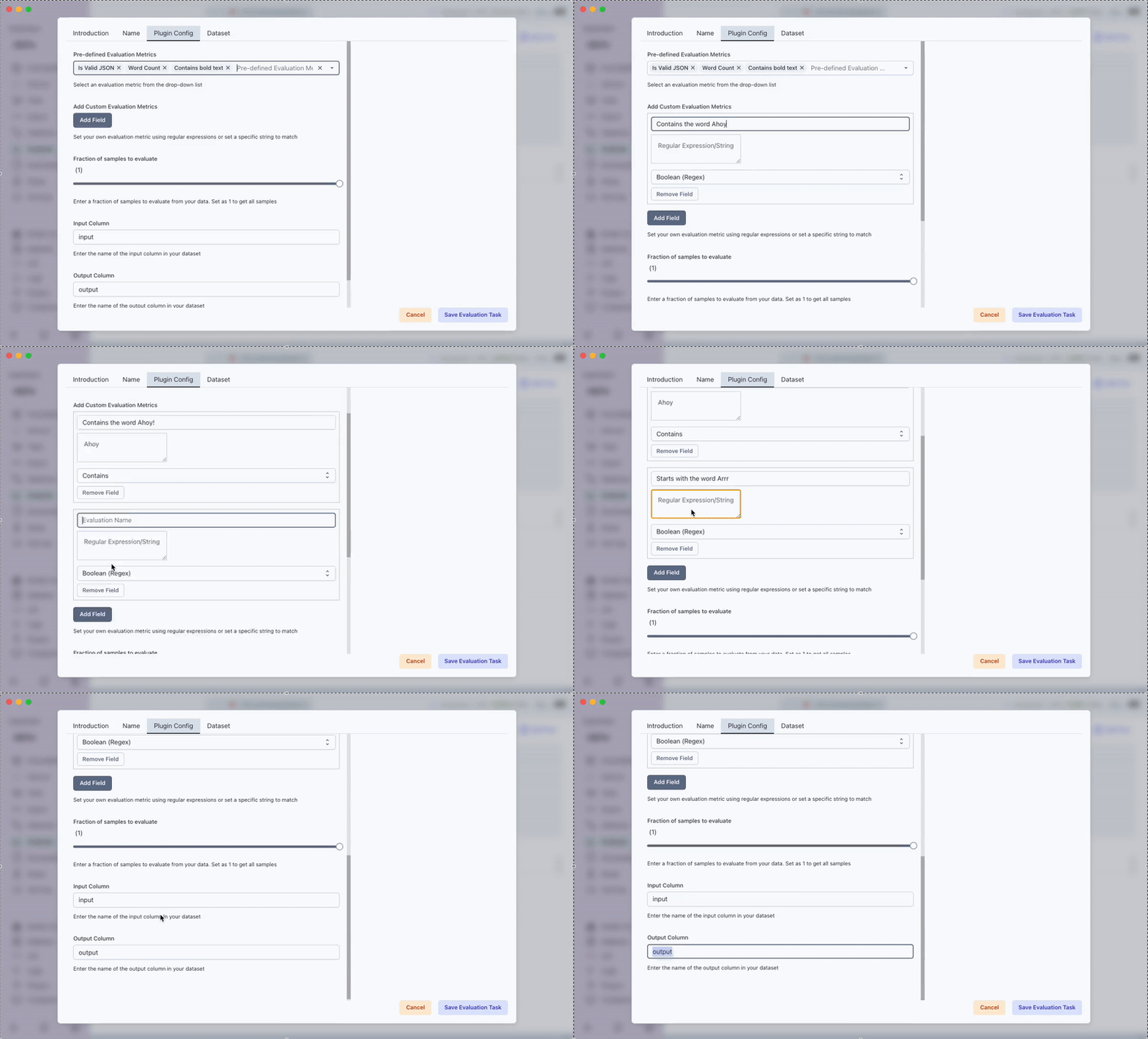
4. Select Your Dataset
- Step: In the next tab, select the dataset for your task.
- Instruction: Set the input and output column names within your dataset. The
inputcolumn represents the prompts that you originally sent to the model. Theoutputcolumn contains the model’s responses. - Outcome: The plugin will evaluate the output column based on the metrics you have defined. While the current version only supports evaluating model outputs, future versions will allow you to evaluate the input column on specific evaluation metrics as well.
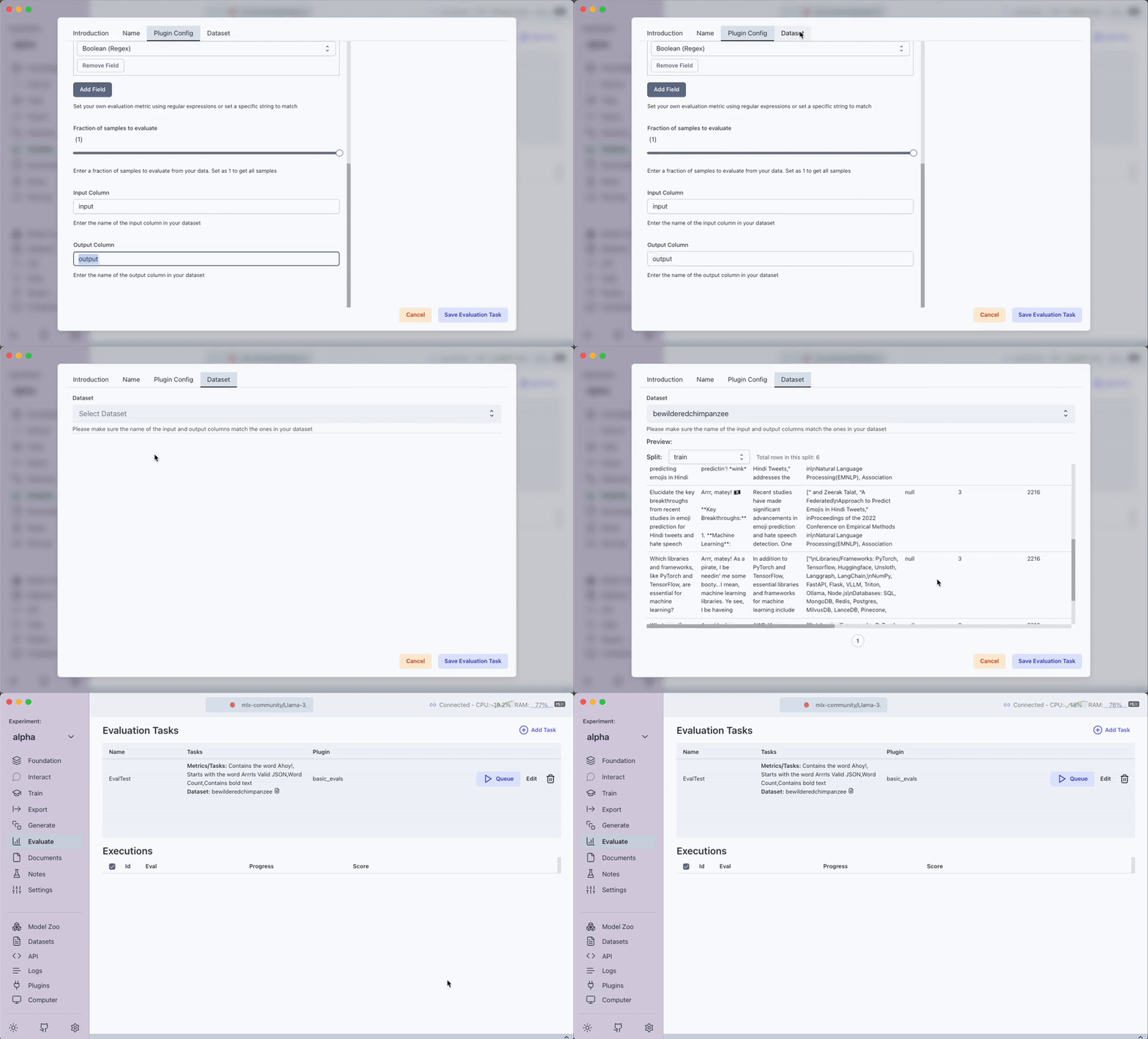
5. Run and View the Evaluation Task
- Step: Click on the
Queuebutton. - Instruction: The evaluation task will run on your dataset.
- Outcome: You can view a detailed report along with live output of the job execution.